Content Calendar Checklist: Plan Your Blog in 30 Minutes
Want to streamline your blog planning? Here's how to create a content calendar in just 30 minutes. A content calendar helps you stay organized, publish consistently, and align posts with your goals. By following six simple steps, you can cut planning time by 78% and ensure your blog delivers results without the stress.
Key Steps:
- Set Goals and Topics (5 mins): Define clear blog objectives (e.g., boost traffic by 20%) and choose 2–3 core themes your audience cares about.
- Schedule Posts (5 mins): Decide on a realistic posting frequency (e.g., 1–2 posts/week) and mark key dates like holidays or industry events.
- Choose Tools (5 mins): Use tools like Google Sheets for simplicity or Trello for a visual workflow. Automate with LazySEO for advanced features.
- Brainstorm Ideas (5 mins): Use tools like AnswerThePublic, Quora, and keyword planners to generate audience-focused content ideas.
- Organize and Assign Tasks (5 mins): Break down tasks (research, writing, editing) and assign deadlines to team members or yourself.
- Review and Adjust (5 mins): Check your calendar for gaps or overlaps, ensure variety, and sync with business priorities.
Why It Matters:
- Consistency builds trust: Regular posting keeps your audience engaged.
- Saves time: Structured planning reduces chaos and last-minute scrambles.
- Boosts results: Blogs with clear strategies are 4x more successful.
Start now and turn scattered ideas into a well-organized content plan that drives success.
::: @figure 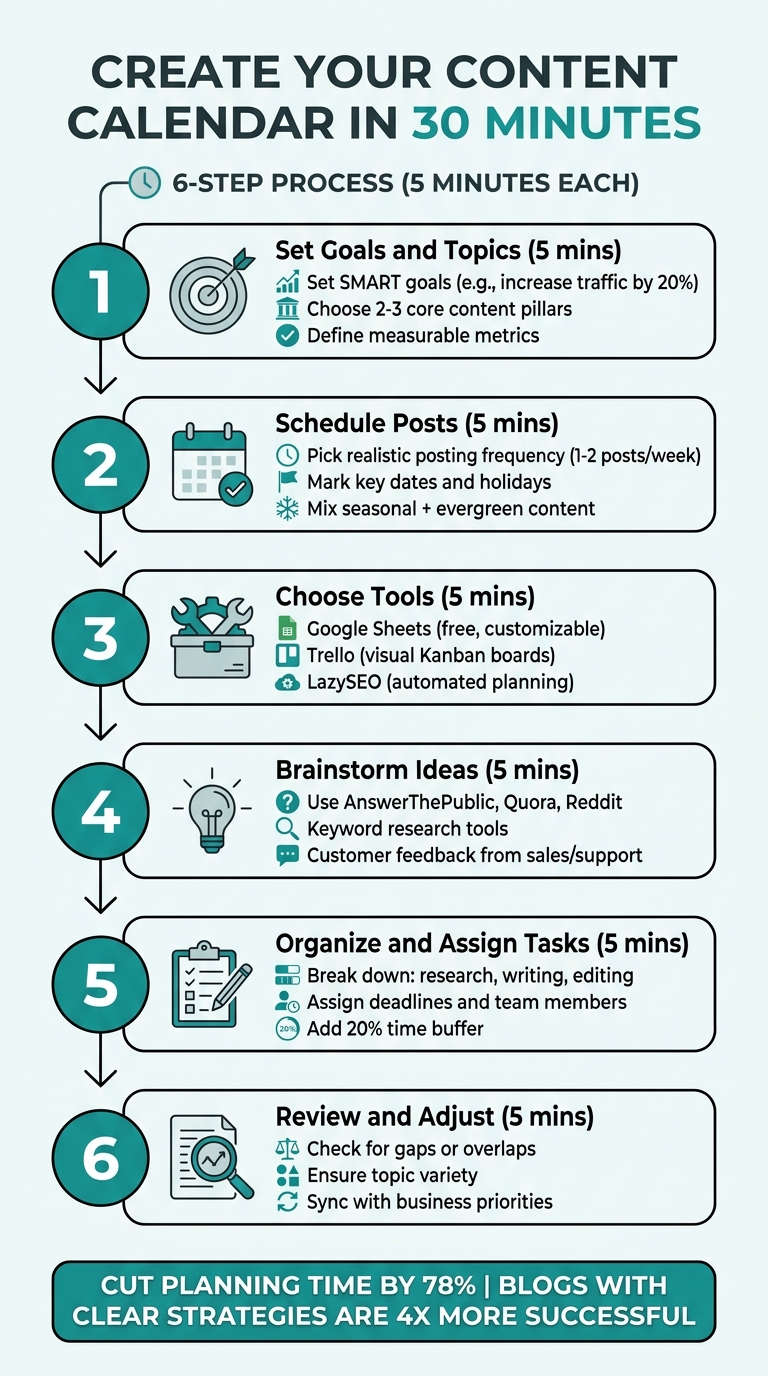 {6-Step Content Calendar Creation Process in 30 Minutes}
:::
{6-Step Content Calendar Creation Process in 30 Minutes}
:::
How to build a 12 month content calendar in one day
::: @iframe https://www.youtube.com/embed/-8L2zZWX0Jk :::
sbb-itb-851db2b
Step 1: Set Your Blog Goals and Main Topics (5 Minutes)
Before diving into content creation, take a moment to clarify your blog’s purpose and understand your audience. This quick exercise can save you hours of effort later, ensuring every post you publish aligns with a clear objective.
Write Down Your Blogging Goals
Your blog should align with your business goals, whether it’s increasing organic traffic, generating leads, or establishing authority. In fact, having a documented content strategy can improve marketing success by more than four times [11].
Start by setting SMART goals - Specific, Measurable, Actionable, Relevant, and Time-bound. For example, instead of a vague goal like "get more traffic", aim for something like "increase organic traffic by 20% over the next 12 months" [8]. Pair each goal with a measurable metric, such as the number of posts published, keyword rankings, email signups, or affiliate click-through rates.
"Goals ensure each piece of content has a purpose. Setting clear objectives helps you track and make adjustments as needed." - Semrush [8]
If you’re working solo, aim for something manageable, like publishing two posts per month [6]. If you’re building awareness for an upcoming product launch, focus on topics that establish your authority. For blogs monetized through ads, prioritize SEO-driven growth and increasing traffic volume. Spend just two minutes listing 1–3 business goals for the next 90 days, and assign each a metric to track progress [7].
Once your goals are clear, shift your focus to topics that will resonate with your audience.
Pick Topics Your Audience Cares About
The secret to a successful blog? Focus less on what you want to say and more on what your audience needs. Chances are, for every customer you serve, there are many others searching for similar solutions [10].
Start by gathering insights. Tap into feedback from your sales team, customer testimonials, and tools like Google’s "People Also Ask" or AnswerThePublic to identify common questions or pain points [9]. Use Google Trends to compare topic popularity over time, and BuzzSumo to find the most shared content in your niche. Finally, confirm demand for your topics with tools like Google Keyword Planner [9][11].
Narrow your focus to 2–3 core content pillars - broad themes that reflect your expertise and align with your goals [7][11]. For instance, a fitness blog might center around strength training, nutrition, and recovery. Group your posts into clusters around these pillars to signal to search engines that you’re building authority in your field, rather than chasing random keywords.
"Every content calendar should focus primarily on the customer rather than your business." - Marketing Insider Group [10]
Structure your content to address different stages of the buyer’s journey. Aim for a mix of 50% awareness content (educational guides or how-tos), 30% consideration content (comparisons or expert interviews), and 20% decision content (product-focused posts or case studies) [7].
Step 2: Pick Key Dates and Posting Frequency (5 Minutes)
Now that you've set your goals and chosen your topics, it's time to map out your publishing schedule. The trick here is to find a rhythm you can stick to - because staying consistent always beats trying to do too much.
Choose a Posting Frequency You Can Stick To
Publishing two well-thought-out posts a week will always outperform rushing to push out daily, lower-quality content. In fact, marketers who follow a steady publishing schedule can see up to 30% more traffic for every post they create [12].
Take stock of your resources: writing a 1,500-word post generally takes about 4–5 hours of focused work. Add another 2–3 days for extra research and 3–4 more for editing and review, and you're looking at roughly a week to complete one post. If you're working solo, aim for one or two posts weekly. If you have a team, you might handle three or more [2].
"The only way you'll be able to be consistent is if you're realistic. If you're too ambitious with your planning and don't leave any buffer room, you'll get frustrated when you start to get behind." - Taylor Loren [5]
To avoid burnout, scale back your schedule by 25%. For example, if you planned to publish four posts this month, reduce it to three. This gives you flexibility for unexpected hiccups like an illness, breaking news in your industry, or just a week when you're feeling less productive. On top of that, add a 20% time buffer to your production timeline to keep things manageable [2].
Once you've nailed down a realistic posting frequency, it's time to identify key dates that matter for your niche.
Mark Important Dates and Holidays
Incorporate key dates and events that resonate with your audience. Start with major U.S. holidays like Memorial Day (May 25, 2026), Independence Day (July 4), and Thanksgiving (November 26). Then, add industry-specific dates like Data Privacy Day (January 28) or Earth Day (April 22).
For instance, if you're running a tech blog, you could plan posts around Cybersecurity Awareness Month (October) or World Marketing Day (May 27). A food blog might focus on National Pizza Day (February 9) or International Coffee Day (October 1). You can also tie content to big events in 2026, such as the FIFA World Cup (June 11–July 19) or the Winter Olympics in Milan (February 6–22).
Mix these timely pieces with evergreen content - like tutorials or how-to guides - that stays relevant all year. This way, you can balance seasonal spikes in interest with steady traffic from timeless topics, keeping your content strategy both flexible and reliable.
Step 3: Select a Content Calendar Tool (5 Minutes)
Organizing your posting schedule and keeping track of key dates is much easier with a content calendar. The next step is to pick a tool that fits your workflow and needs.
Create Your Calendar in Trello or Google Sheets
If you're working solo or with a small team, Google Sheets can be a great option. It's free with a Google account and highly customizable. You can track everything from primary keywords and search volume to meta descriptions and publication dates - all neatly organized in rows. The catch? You'll need to update everything manually, which can be time-consuming.
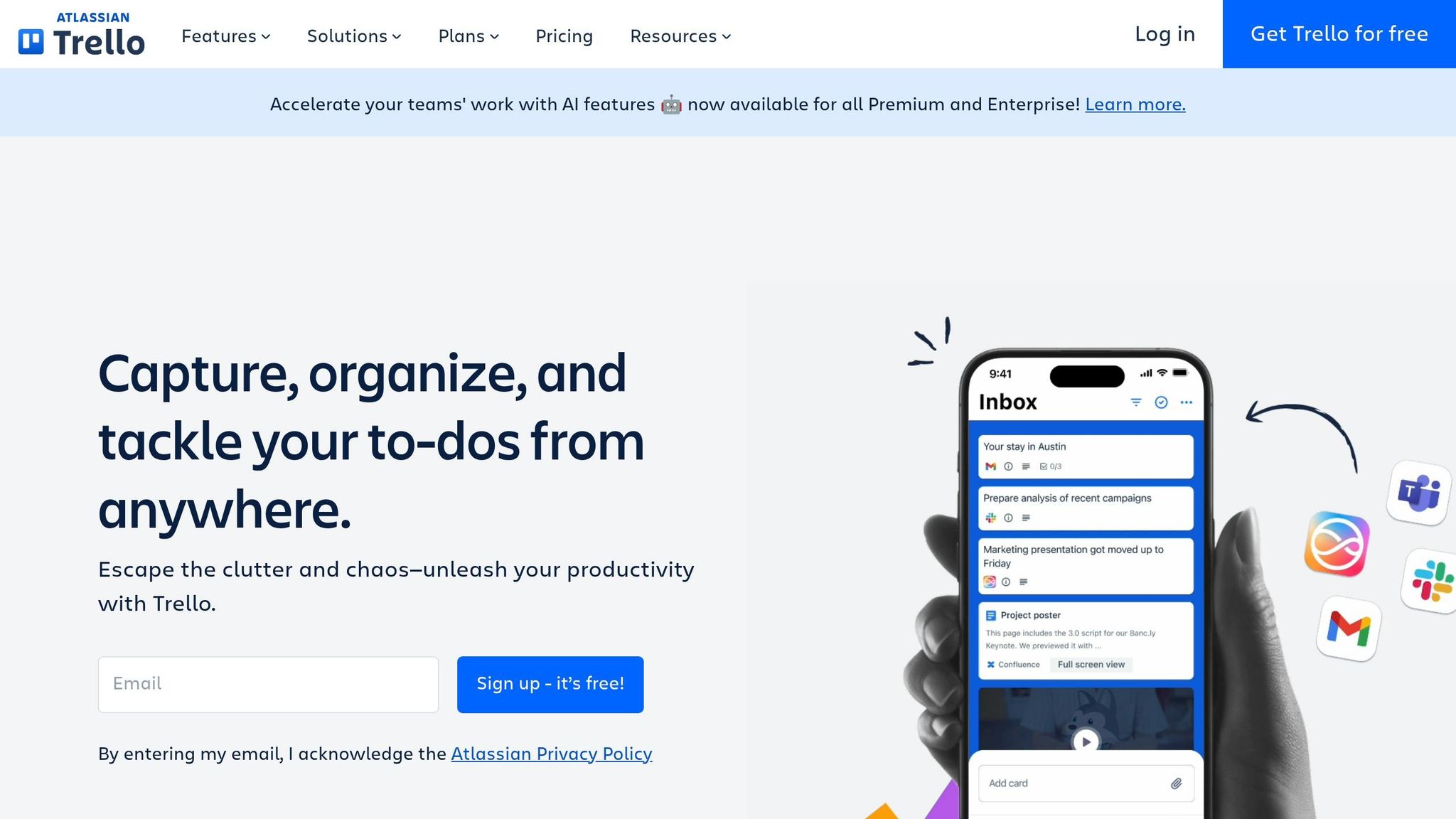
For a more visual approach, Trello uses a Kanban board system. You can set up columns like "Ideas", "Writing", "Review", and "Published", then drag and drop content cards as tasks progress. Each card can hold details like briefs, images, and drafts, and you can use color-coded labels to sort posts by topic. While the free version covers most needs, the calendar view feature requires a Premium account.
"Google Sheets calendars are a great option if you need to create a clean calendar to track an internal marketing campaign [or] organize a client's upcoming projects." - Kayla Carmicheal, Writer, HubSpot [14]
Use LazySEO for Automated Planning
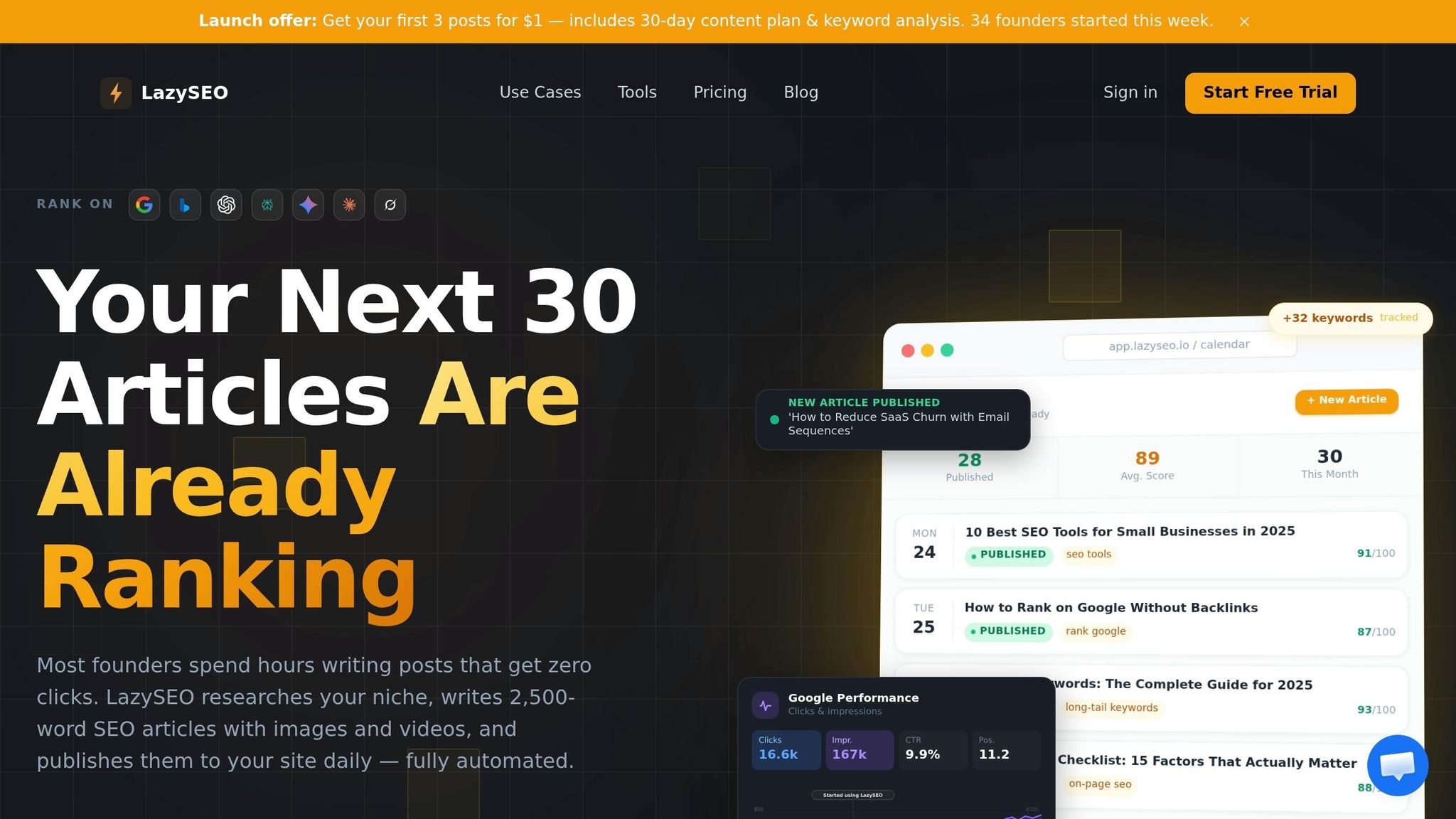
If you want to cut down on manual updates, an automated tool like LazySEO might be a better fit. This platform combines keyword research, SEO optimization, and scheduling into one seamless workflow. It scans your site for rankable keywords, builds a content calendar for you, and even tracks deadlines - saving you from juggling multiple tools.
The Pro plan, priced at $39/month, offers 30 SEO-optimized articles each month, automates keyword research and SERP analysis, and supports auto-publishing to platforms like WordPress and Shopify. It's a good choice for teams aiming to reduce manual errors and keep their content strategy driven by data.
Pick a tool that aligns with your workflow and use it consistently. If automation suits your style, let LazySEO handle the heavy lifting so you can focus on creating great content.
Step 4: Add Content Ideas and Assign Categories (5 Minutes)
Now that you've picked your calendar tool, it’s time to fill it with content ideas. This step shifts you from waiting for inspiration to a structured approach that generates more topics than you’ll ever need.
Generate Content Ideas
Start by gathering questions directly from your audience. Platforms like Reddit, Quora, and AnswerThePublic are goldmines for this. Pair these with keyword research tools like Semrush's Keyword Magic Tool to uncover popular search queries and identify gaps your competitors might be ignoring [16][17][1][11].
Tap into insights from your customer-facing teams. Regular chats with sales and support staff can reveal common objections or frequently asked questions - topics that often resonate with audiences and lead to better conversions [16]. For instance, ABC Candles used a spreadsheet to organize their topics, formats, and deadlines, which led to a 35% boost in website traffic in just a few months [15].
"Topic ideation should be systematic, not inspiration-dependent: Waiting for content ideas to emerge organically produces inconsistent output and prioritization gaps." - Digital Applied [16]
Make sure every idea aligns with your main goals. Relevance is key. Interestingly, only 33% of businesses have a documented content strategy, but marketers who do are over four times more likely to succeed [15][11].
Once you’ve compiled a strong list of ideas, the next step is categorizing them to create a clear and actionable content strategy.
Organize Posts by Category
To keep your content focused, group your ideas into 3–5 core content pillars. These might include themes like "on-page SEO" or "link building", which help establish expertise in specific areas [11]. You can also organize posts by type - tutorials, case studies, industry updates, or expert interviews - to keep the content mix fresh and engaging [2][1].
Use simple tools like color-coding to make your calendar easier to navigate. For example, assign blue to tutorials, green to case studies, and other colors for different content types [17]. If you’re working in Google Sheets, consider using drop-down menus with data validation to tag categories consistently and avoid errors [13].
Don’t forget to leave some flexibility. Reserve 15–20% of your calendar for timely or trending topics. This ensures you stay relevant while sticking to your larger plan [16].
"A content calendar isn't just a list of publish dates... It turns your strategy into an actual plan. It helps you stay focused, avoid repetition, and publish content that serves a clear purpose." - Brett Helling, Founder, Trendline SEO [11]
Step 5: Create Task Lists and Schedule Posts (5 Minutes)
It’s time to turn your content calendar into a functional roadmap. By breaking down tasks and locking in deadlines, you’ll move from planning to execution.
Build a Task List for Each Post
Every post has multiple stages, and a clear task list keeps things running smoothly.
Start with the pre-writing phase, which includes keyword research, competitor analysis, and drafting a content brief. Next, move into production tasks like writing the draft, interviewing experts, and creating visuals such as infographics or featured images. Don’t forget the review phase - this covers editing, stakeholder approvals, and, if needed, legal reviews. Finally, tackle the technical setup, which might involve writing meta descriptions, creating URL slugs, and uploading the post to your CMS.
Assign specific tasks to team members - writers, editors, designers - and use clear status labels like "Drafting", "Editing", or "Ready to Publish" so everyone knows the current stage of each piece.
"A calendar ensures nothing falls between the cracks." - Brian Dean, Founder, Backlinko
To stay flexible, build in a 20% buffer when scheduling [2].
Once tasks are assigned, focus on setting deadlines for each stage.
Schedule Posts in Advance
Use your task list to map out deadlines for every step, not just the final publication date. Start with the go-live date and work backward. For instance, if your post is scheduled to publish on May 15, 2026, set keyword research for May 1, the first draft for May 5, and final approval by May 12.
Keep a content backlog of 2–3 evergreen posts ready to go. This way, if a time-sensitive post gets delayed, you can quickly swap in a backup to maintain your posting schedule. Publishing at least two blog posts per week is a reliable way to see results [2].
Tools like Kanban boards or timeline views can help you identify bottlenecks and visualize your schedule. Use color codes to avoid clustering similar topics in the same week. For a complete picture of your workload, include non-blog tasks like social media posts or newsletter promotions in the same calendar.
"Posting consistently is key to building an engaged audience. Your editorial calendar helps you stick to that regular posting schedule, keeping your brand visible and top-of-mind." - Kathy Deady, Content Marketing Manager, Optimizely [4]
Step 6: Review and Finalize Your Calendar (5 Minutes)
Take a moment to review your calendar and catch any potential issues before they disrupt your schedule.
Check for Gaps or Overlaps
Start by scanning your calendar for content gaps - areas where competitors have covered topics you’ve overlooked. Use topic research tools to analyze competitor domains and pinpoint subtopics they rank for that you haven’t included in your plan [1]. Also, look for "dead zones" where no posts are scheduled for a week or more. On the flip side, check if you’ve accidentally scheduled multiple pieces on the same topic too close together.
Next, review your topic clusters to ensure you’ve covered all related subtopics. For instance, if your focus is on email marketing, do you have a mix of tutorials, case studies, and detailed analyses, or are you repeating one format? A lack of variety can limit your strategy’s effectiveness. It’s worth noting that one-third of B2B marketers cite unclear goals or poor alignment with their audience as major hurdles in their content strategy [2]. Don’t forget to sync your calendar with key dates, like social media campaigns or product launches, to avoid overlapping content or missed opportunities.
Finally, share your calendar with your Sales and Customer Service teams. They often have insights from customer interactions that can highlight unaddressed questions or pain points [4]. This collaboration can uncover valuable content ideas you might not have considered.
Once you’ve identified and addressed these gaps and overlaps, shift your focus to ensuring the schedule is realistic and achievable.
Commit to Your Publishing Schedule
After resolving any content gaps, make sure your team has the capacity to stick to the schedule without sacrificing quality - because quality always wins over quantity. Publishing at least two blog posts per week can drive strong results [2], but only if your team can sustain that pace without burning out.
"The only constant is change. Whether it's an emerging industry trend, a shift in business goals, or new priorities... being able to tweak and rework your editorial calendar will keep your content strategy relevant and effective." - Kathy Deady, Content Marketing Manager, Optimizely [4]
Hold a quick meeting with your collaborators to ensure everyone is clear on their roles and deadlines. To keep your strategy on track, schedule a quarterly review every 90 days. Use this time to analyze performance data, refine your priorities, and make necessary updates. Remember, flexibility is key - your calendar should evolve as your goals and circumstances change.
Conclusion
You've crafted a 30-minute content calendar that lays out clear goals, sets a realistic schedule, picks the right tools, generates ideas, assigns tasks, and identifies gaps to keep your blog running smoothly. Now it's time to put your plan into action and adapt as needed.
Consistency is key - it builds trust and keeps your audience engaged. A steady flow of content ensures your brand remains top-of-mind. But don’t forget to leave room for last-minute additions like trending topics, customer inquiries, or breaking news that demand quick responses [2][3]. Sticking to this structured schedule not only strengthens audience trust but also allows you to stay agile in a constantly changing industry.
Make it a habit to review your calendar every month. Compare your planned content with what was actually published and dive into metrics like organic traffic, engagement, and conversions [4]. These regular reviews will help you spot bottlenecks early and fine-tune your strategy based on real-world results [2]. To stay ahead of potential delays, build in a 20% buffer to your timelines and maintain a stash of evergreen content that you can publish anytime [2].
Above all, focus on quality rather than quantity. Your audience values helpful, relevant content far more than an overwhelming flood of posts [1]. As Peter Drucker wisely said:
"What gets measured gets managed." - Peter Drucker (as cited in Search Engine Land) [2]
Keep tracking your progress, make adjustments based on performance, and stick to the plan you’ve created.
With your calendar in place, focus on publishing consistently, measuring success, and refining your approach month by month.
FAQs
::: faq
What should I include in a simple content calendar?
A straightforward content calendar typically includes:
- Publication dates: Schedule when each piece of content will go live.
- Content titles: Clearly label and identify each piece.
- Statuses: Monitor the progress of each task (e.g., in progress, completed).
- Assigned team members: Specify who is responsible for each task.
- Additional notes: Add any extra details, like the publishing platform or important reminders.
These components make planning more organized, helping maintain consistency and efficient content management. :::
::: faq
How far ahead should I plan my blog posts?
Planning your blog posts 4 to 12 weeks ahead can make a world of difference. It helps you stay organized, maintain a steady flow of content, and align your posts with your broader marketing goals. By planning in advance, you can map out topics, set deadlines, and schedule publication dates more effectively, ensuring your blog stays consistent and on track. :::
::: faq
Which metrics should I track to know my calendar is working?
Track important metrics such as content engagement, how consistently you publish, and how well you're sticking to your schedule. These metrics provide insight into how well your content calendar aligns with your blogging objectives and whether you're delivering what your audience expects. :::