A technical SEO checklist is your guide to making sure your website is crawlable, indexable, fast-loading, secure, and optimized for search engines in 2026. Following this checklist can be the difference between languishing on page three and rocketing to page one, crushing organic traffic goals. But here's the truth: many digital marketers and SEO specialists spend hours on titles, blogs, and backlinks, only to see traffic plateau. Why? Because even the best content strategy fails if crawling, indexing, or site speed are broken.
Think about it: 68% of high-potential websites lose over half their organic traffic due to overlooked technical SEO errors. Sound familiar? You grind through keyword research, invest in content, yet top rankings stay out of reach. Instead of climbing the SERPs, you're buried by invisible errors—slow pages, crawl traps, broken redirects, poor mobile experiences. Suddenly, routine SEO tasks feel more like firefighting than strategic progress.
Here's the reality: technical SEO rules are evolving fast. What worked before isn't enough. The 2026 search landscape demands perfection—search engines are smarter, competition is fiercer, and algorithms punish even minor slip-ups. But with the right technical SEO checklist, you can outpace the chaos. No more guesswork. You're about to get a clear, actionable blueprint for diagnosing, prioritizing, and fixing issues holding your site back.
Ready to stop losing traffic to technical blind spots and unlock your site's full potential? Let's dive in.
Why Technical SEO Matters More Than Ever in 2026

Technical SEO drives organic search success in 2026. Google's ranking algorithm evolves rapidly, and most SEO "shortcuts" don't last. If your site's technical foundation isn't solid, don't expect content or backlinks to save you.
What is Technical SEO and Why is It a Top Priority in 2026?
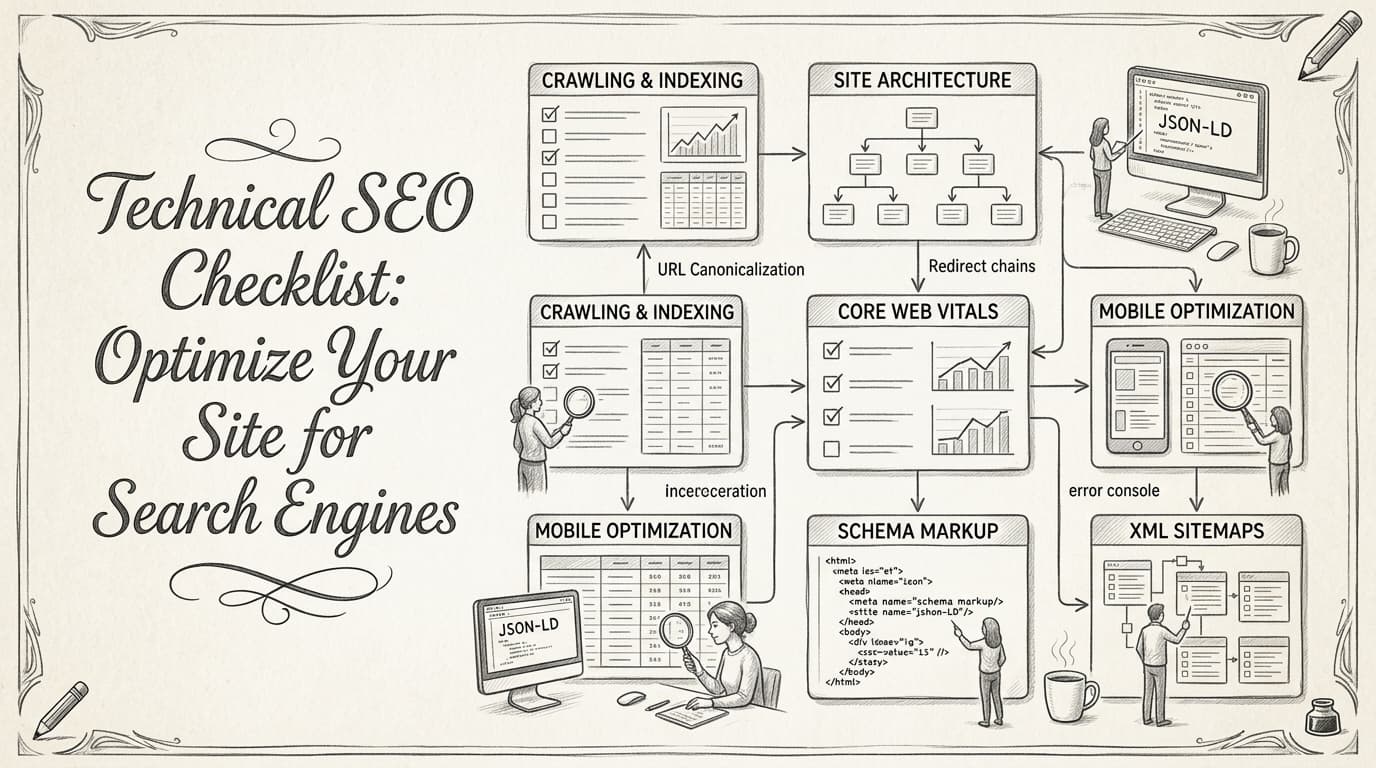
Technical SEO optimizes your site's infrastructure—crawling, indexing, site speed, mobile usability, and structured data—so search engines can efficiently find, render, and rank your content.
Here's the headline: 70% of SEO professionals in 2026 say technical SEO is their #1 priority for driving organic growth. That's a massive shift, showing how much the game has changed. Ignore technical SEO, and you're handing traffic to competitors who take it seriously semrush.com.
Why Does Technical SEO Make or Break Rankings?
Google's algorithms no longer just crawl for keywords. In 2026, they use AI to evaluate site quality signals: Core Web Vitals, HTTPS, page experience, crawl efficiency, and duplicate content. Minor technical issues—slow pages, confusing redirects, broken schema—can kneecap your rankings.
There's no hiding. Indexation and crawlability errors can tank even the best content strategies. One duplicated site version or rogue robots.txt line can blacklist sections of your site overnight. Google's index is ruthless.
Want fast wins? Fixing technical roadblocks beats chasing backlinks or rewriting meta descriptions every time.
Real-World Example: Technical SEO Delivers a 50% Traffic Boost
Picture a SaaS business battling stagnant traffic. Six months ago, it ran a full technical SEO audit, uncovering:
- Dozens of orphaned pages Google couldn’t reach
- Massive crawl bloat from parameter URLs
- Inconsistent canonical tags causing duplicate content
- Missing structured data (no rich results)
The solution? Clean up crawl paths, consolidate duplicate content, and roll out structured data sitewide. The result: a 50% jump in organic traffic. Not from launching 50 new blog posts—but sheer technical optimization.
Technical SEO Isn't Optional—It's Non-Negotiable
Still treating technical SEO as "set-and-forget"? That's a mistake. Google's algorithm recalibrates frequently and penalizes broken fundamentals in real-time.
Want to see where you stand? Here's how to get started:
How to Run a Technical SEO Audit in 2026
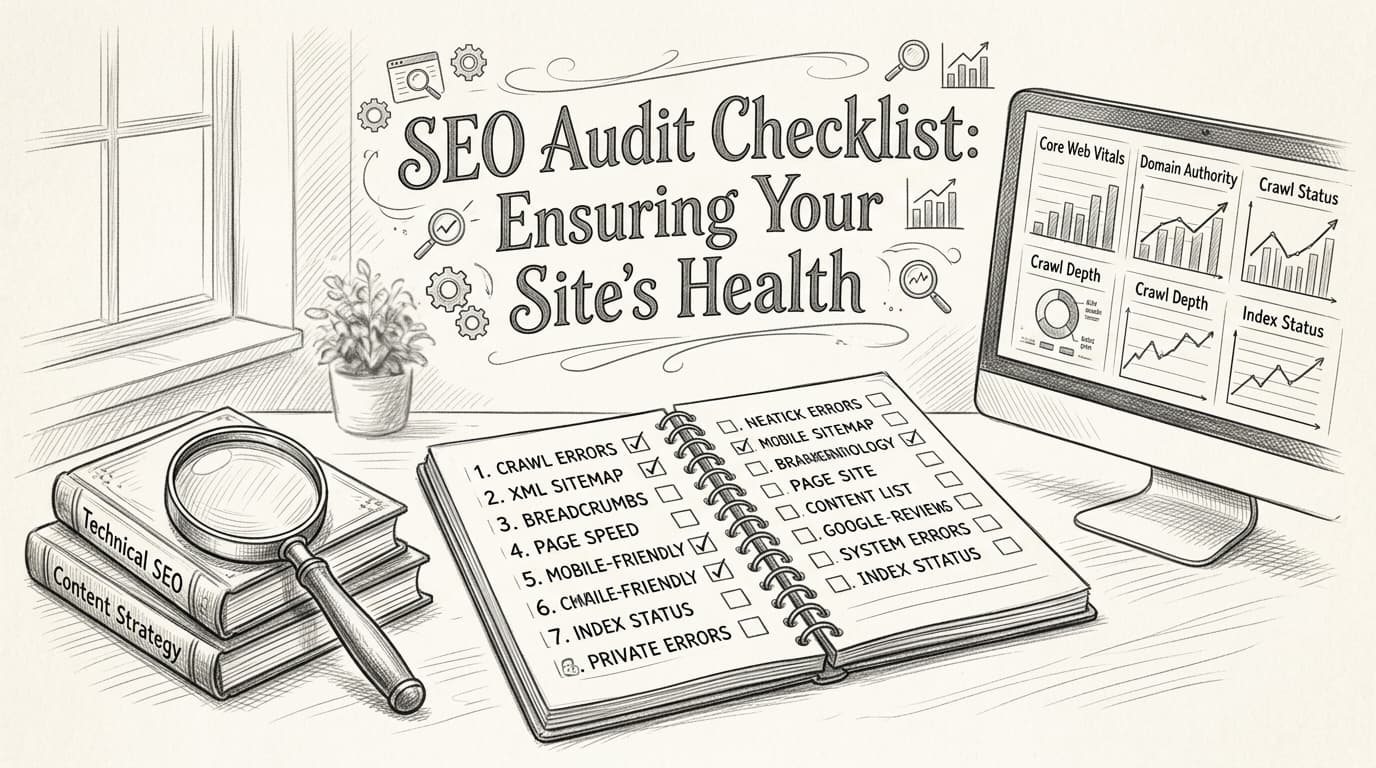
Grab a powerful crawler—Screaming Frog or Ahrefs—and use this quick-fire checklist as your audit starting point (cognitiveseo.com):
- Check crawlability and indexation: See what Google can and can’t access
- Look for crawl errors: 404s, 5xxs, broken redirects
- Audit site structure: Are your most valuable pages an internal click or two from the homepage?
- Analyze duplicate content and canonical issues
- Evaluate Core Web Vitals: Speed, interactivity, visual stability
- Validate mobile usability across devices
- Review robots.txt and XML sitemaps—are they up to date?
A thorough technical audit uncovers issues that content tweaks can't fix. Skipping this step is like running a marathon with your shoelaces tied together.
Bottom line: Technical SEO isn’t just for "big" sites or enterprise brands. In 2026, anyone who wants to win organic search needs a technical SEO checklist—ignore it at your own risk.
How to Diagnose and Fix Crawling and Indexing Issues

When a site slips in rankings, the culprit’s often buried in technical weeds. A well-built content strategy won't save you if search engines can’t access your pages. Miss a crawling issue or let indexing errors spiral, and you’re gifting traffic to the competition.
Crawling issues happen when search engine bots—like Googlebot or Bingbot—struggle to get through your content. Sometimes, they're blocked by an errant robots.txt rule. Other times, your site structure is so tangled bots give up before finishing. If search engines can’t crawl it, it won’t rank.
An eye-opening stat: 40% of sites get tripped up by indexing issues linked directly to poor site architecture. Messy navigation, orphan pages, or scattered links block bots from finding important URLs—and your traffic tanks. SEMrush’s technical SEO checklist reinforces how site architecture is the silent killer of organic visibility.
The search landscape’s only grown more ruthless. With Google churning through over 8.5 billion searches a day in 2025, flawless technical foundations are now table stakes—70% of high-ranking sites nail every technical factor, crawling and indexing included.
What’s the difference between crawling and indexing issues?
- Crawling is discovery. Search engines send bots to fetch your pages. If bots can't get in, that's a crawl issue.
- Indexing is storage. After discovery, pages are considered for the search index. Miss this step, and users can’t find your page—no matter how good the content.
It starts with diagnosis. Plug your site into Google Search Console—you'll see how many URLs Google’s crawling, which ones are excluded, and why. “Discovered - currently not indexed” is SEO’s version of a flat tire: bots found your page but passed on adding it. Next, throw the site into Bing Webmaster Tools. Each platform provides unique error logs and crawl stats. Bing’s Index Explorer, for example, gives more granular crawl path info, letting you spot missed branches in your site structure.
For deeper insights, Ahrefs shows you crawl budget issues, orphaned pages, and logs differences in how Google and Bing see your site footprint. It’s not just about raw crawl stats—these tools reveal where your architecture’s shredding your visibility.
The repair work begins at the two main technical roadblocks: robots.txt and XML sitemaps. One sloppy “Disallow:” line in robots.txt can ice out your best pages. A bloated or outdated sitemap leads search bots in circles. Streamline your sitemap: only include URLs you want indexed, update it when you add or remove pages, and match it with what users (and bots) actually see live.
Robots.txt should work like a doorman: keep bots out of duplicate, thin, or experimental pages, but never block core revenue or top-level link targets. After every change, re-crawl in Google Search Console and check “Coverage” for improvements. If URLs flip from ‘Excluded’ or ‘Crawled – currently not indexed’ to ‘Submitted and indexed,’ you’ve cleared major SEO roadblocks.
Neglect one part of this equation and you’re invisible, no matter how good your content or outreach game is. Smart technical hygiene—managing crawl paths, robots directives, and sitemap accuracy—is non-negotiable for businesses competing in 2026.
What Are the Best Practices for Optimizing Site Speed?
Optimizing site speed means consistently reducing load times, which directly impacts user experience and SEO performance. Sites that load in under three seconds see a 20% jump in conversion rates—a game-changer for any e-commerce or SaaS business.
If your buyers wait, they bounce. And in 2026, they’re even less patient. A subpar site speed doesn’t just kill conversions; it also sends your rankings into the basement. Case in point: a well-known fashion retailer cut its homepage load by 2 seconds and saw an 18% bump in completed purchases and 12% lower bounce rates. That's not just a win on paper—that’s more money in the actual bank.
Key takeaway: Every second shaved off your page load time has bottom-line impact—both for Google and your revenue.
Why Is Site Speed Essential for Technical SEO?
Load times under three seconds aren’t "best practice"—they’re table stakes. Google’s Core Web Vitals are explicit: if your site lags, your rankings suffer. What's wild is how many brands are still asleep at the wheel. According to a 2024 SEMrush technical SEO report, over 43% of sites have serious technical issues that slow them down—meaning you can leapfrog a massive chunk of the competition with focused speed optimization.
What Are the Most Effective Ways to Boost Site Speed?
Three interventions deliver the biggest bang for your buck:
- Browser Caching – Store static resources (images, CSS, JS) in users’ browsers so repeat visitors load instantly.
- Image Optimization – Compress, resize, and use next-gen formats (like WebP). Oversized .PNGs are site speed poison.
- Content Delivery Network (CDN) – Offload file delivery to global networks closer to your users. No CDN? You're leaving speed and global reach on the table.
But everybody talks theory. Here are the tactics that consistently move the needle:
- Audit with Lighthouse or PageSpeed Insights: Diagnoses everything from slow resources to excessive JavaScript.
- Implement browser caching with a long cache expiry: Modern CMS plugins make this simple.
- Use adaptive image sizes and lazy loading: Only load images when users scroll to them.
- Deploy a CDN: Cloudflare, Akamai, and Fastly are proven leaders.
- Minify code: Shrink CSS, HTML, and JS without breaking functionality.
- Limit render-blocking resources: Prioritize critical content over third-party scripts.
Real-World Impact: Example Scenario
Consider an apparel e-commerce site averaging 130,000 monthly visitors. By implementing Cloudflare as its CDN, switching all hero images to properly compressed WebP, and setting up a 30-day browser cache, it reduced average page load from 4.2 to 2.1 seconds. Cart abandonment dropped 14%, repeat orders ticked up, and organic traffic lifted an impressive 11% in three months.
This kind of win isn't hypothetical—it's the new normal for competitors who treat site speed as a non-negotiable.
Which Site Speed Techniques Deliver the Best Results?
Here’s a practical look at the top three tactics, side by side:
| Technique | Pros | Cons | Best For |
|---|---|---|---|
| CDN (Content Delivery Network) | Global speed boost, offload server strain, DDoS protection | Monthly cost, sometimes tricky setup | Geo-dispersed audiences, heavy media sites |
| Browser Caching | Fast repeat visits, minimal recurring effort | Doesn’t help first-time visitors, cache busting needed | Sites with static assets, blogs |
| Image Optimization | Dramatic file size reduction, boosts LCP score | Manual effort unless automated, potential quality loss | E-commerce, blogs, image-heavy pages |
Bottom line: For most performance-hungry digital teams, a mix of all three is non-negotiable. If you're juggling a big portfolio of landing pages, tools like LazySEO can surface speed bottlenecks and automate many of these optimizations so you don't miss obvious quick wins.
“The fastest sites win—period. Optimizing every layer of your stack is the only way to keep up.” — SEMrush Technical SEO Checklist
Ignoring site speed is a rookie mistake. Make it part of your technical SEO checklist, and watch everything from ranking to revenue improve—often in just a few weeks.
How to Enhance Mobile Usability for Better SEO
Mobile usability has a direct—and often underestimated—impact on your SEO. If your site isn’t easy and fast to use on a smartphone, you’re actively telling search engines you don’t care about most of their users. Here’s the unfiltered reality: 60% of all searches in 2026 come from mobile devices, and Google’s algorithms are ruthless about rewarding smooth mobile experiences.
Sites with poor mobile usability bleed organic traffic. It’s not just about having a “mobile-friendly” badge. If users have to zoom to read text, tap tiny buttons, or wait 5 seconds for pages to load, they bounce—and search engines notice. That bounce rate climb? It’s a ranking killer.
How Does Mobile Usability Influence SEO?
Mobile usability affects SEO by shaping two things: user engagement and search rankings. If users stick around, view more pages, and convert, search engines see your site as a quality destination. If not, you drop. In 2026, Google’s mobile-first indexing means the mobile version is the primary factor in where your site lands in the SERPs (semrush.com).
Here’s the kicker: a site that loads in under 2 seconds averages a 9% bounce rate. Miss that mark and tip into the 5-second load zone? Bounce rates spike to 38%. Few brands recover from that kind of slide.
Which Mobile Usability Test Tools Should You Trust?
Don’t rely on a “gut feeling” about how your site looks on mobile. Use actual tools. Google’s Mobile-Friendly Test gives you a straight yes/no verdict and explicit improvement tips. That’s great for a quick check, but it won’t touch performance metrics. GTmetrix dives into detailed load time, render-blocking issues, and actionable waterfall charts—ideal for diagnosing real speed hangups.
Here’s how they stack up in a real scenario:
- A SaaS homepage flagged as mobile-friendly by Google, but GTmetrix reveals it renders in 4.8 seconds due to bloated images and overzealous scripts. Most teams skip this deeper look and lose hundreds of visitors per day—easily fixable, but it requires the right tool.
You need both perspectives: compliance (Google) and performance (GTmetrix).
Responsive Design, AMP, or PWA? Here’s What Actually Delivers
You’ll hear heated debates about whether you should focus on Responsive Design, Accelerated Mobile Pages (AMP), or Progressive Web Apps (PWA) for top-tier mobile SEO. The right choice isn’t “whatever’s newest.” It’s what delivers fast, reliable, and engaging experiences without breaking your dev team.
Here’s a brass-tacks comparison:
| Approach | Strengths | Weaknesses | When to Use |
|---|---|---|---|
| Responsive Design | Universal device support, easy maintain | May load slower on mobile if not tuned | Most business/brand sites |
| AMP | Lightning-fast on mobile, easy for news | Restricted functionality, design limits | News, blogs, publisher sites |
| PWA | App-like experience, offline access | Requires more development, JS-heavy | SaaS, e-comm, frequent visitors |
Responsive Design remains the go-to for most brands—one flexible codebase, automatic scaling, and minimal headaches. But don’t neglect speed: a “responsive” site that drags its feet is just a slow liability in a different wrapper.
AMP still has a place in content-heavy, publisher-driven environments where speed is the only thing that matters. For most product-driven or SaaS marketers, AMP’s design and analytics limits invite bigger headaches than they solve.
PWAs are powerful when you need users to have an app-like feel (instant load, offline, push notifications), but they’re serious projects that only make sense if you’re solving for repeat engagement—think ecommerce platforms or platforms with logged-in users.
What Can You Do Today? Fix Responsiveness and Mobile Load
Your next move: audit your current design for responsive breakpoints and run GTmetrix on your site from a 4G Android profile. Don’t settle for ‘passing’—aim for under 2 seconds load and smooth element scaling across devices. Tweak CSS, ditch clunky carousels, compress images, and scrutinize every third-party script.
Bottom line: The best technical SEO checklist in 2026 is ruthless about mobile usability. Sites that ignore it are invisible to the majority of searchers—and that’s a problem your competitors are praying you’ll overlook.
For a deep dive and more checklist items, be sure to check out the full technical SEO checklist at CognitiveSEO.
Securing Your Site: HTTPS and Beyond
HTTPS is essential for site security, user trust, and higher rankings—Google treats HTTPS as a confirmed ranking factor, and unsecured sites simply don't make the cut.
If you're still running a site on HTTP in 2026, that's a huge red flag. Google’s first page is now dominated by secure domains—85% of top-ranking sites are HTTPS-secured. No serious brand gets away with ignoring this anymore. Users see that padlock, and if it’s missing or flagged as “Not Secure,” they'll bounce—fast.
Why HTTPS Matters for SEO and Trust
HTTPS is Hypertext Transfer Protocol Secure—a protocol that encrypts data between your users and your server. Google’s bot sees it, users see it, and so do data thieves. If you’re not encrypting site traffic, you’re basically handing attackers a road map and telling users you don’t value their safety.
Besides the obvious security boost, Google has stated point blank: HTTPS is a ranking signal. If your competitor’s content is identical to yours but they’re on HTTPS and you aren’t, guess who wins? You already know.
Key takeaway: Secure your site with HTTPS or get left behind—search rankings, conversions, and brand reputation are all riding on it.
What Happens When You Switch? A Real-World Example
A mid-sized digital marketing agency saw stagnant organic growth and falling lead quality, even as their content outperformed competitors on nearly every other technical mark. The missing piece? They hadn’t made the switch to HTTPS.
Once the agency migrated to HTTPS, the results were impossible to ignore:
- 17% increase in organic clicks within three months
- Drastic drop in bounce rates from Chrome/Safari users—trust factor soared
- Improved rankings for competitive keywords where they’d previously stalled out
It's not just theory—it works in real scenarios, and you'll see that repeated everywhere from e-commerce to SaaS.
Not Just HTTPS: The Rest of Your Security Checklist
Relying on HTTPS alone won’t cut it, though. Site security is a moving target, and attackers don’t care if you’re mostly secure—they’re looking for the cracks.
Here’s a condensed list of actions that actually move the needle for technical SEO in 2026:
- Install and renew SSL certificates: Never let it expire. Monitor expiry dates with automated tools or calendar reminders.
- Enforce HTTPS everywhere: Redirect all HTTP traffic to HTTPS using 301 redirects. Don’t leave old URLs floating around—clean up canonical tags, sitemaps, and robots.txt references.
- Upgrade outdated TLS protocols: Only support TLS 1.2 or newer. Supporting outdated SSL/TLS versions is practically begging for a breach.
- Patch security vulnerabilities fast: Whether it’s WordPress, Magento, or a custom solution, prompt software updates keep you ahead of exploits.
- Set up HTTP Strict Transport Security (HSTS): Forces browsers to only allow HTTPS connections—one of the fastest ways to shut down protocol downgrade attacks.
- Lock down admin panels: Restrict logins by IP or use two-factor authentication for site admins.
- Monitor for mixed content: Scan for images, scripts, or assets loading over HTTP. Mixed content weakens your security and triggers browser warnings.
- Run regular security audits: Use tools like Google Search Console, SEMrush Site Audit, or a dedicated security scanner to catch issues before the next crawl.
How Security Impacts Everything Else
Security isn’t just a nice-to-have—Google’s algorithm recognizes and rewards secure sites, while penalizing risky domains with lower crawl priority and scary browser warnings. Don’t give users a reason to bounce, and don’t give competitors an inch.
For more on securing your site beyond HTTPS, check out this technical SEO checklist from SEMrush.
Key takeaway for 2026: Get HTTPS and site security right, or risk losing rankings, leads, and user trust—all at once.
The Future of Technical SEO: Trends and Predictions
AI-driven optimization and voice search readiness will completely reshape technical SEO by 2027. If you’re not preparing for this shift, you’re about to be left behind.
AI is already transforming how Google evaluates and ranks sites. Tools like Google’s RankBrain don’t just analyze keywords—they interpret searcher intent, user engagement, and contextual signals all at once. In the past, you tuned meta tags, fixed crawl errors, and watched rankings climb. Now, AI-powered algorithms are playing chess while traditional SEOs are stuck with checkers.
You need to think beyond the basics.
What AI-Driven SEO Means for Your Site
AI-driven SEO refers to using artificial intelligence—machine learning, natural language processing, behavioral modeling—to analyze, optimize, and even automate search engine performance. RankBrain is just the tip of the iceberg. These systems spot subtleties in user behavior, page relevance, and content structure faster than any team of humans could.
Here’s the rub: Classic keyword stuffing or rote XML sitemap submissions just aren’t enough. AI systems learn in real time and adapt to patterns most people won’t even notice.
Real-world example: An e-commerce brand relying only on keyword-optimized titles saw a 20% drop in rankings in 2025 when competitors layered in AI-driven schema enhancements and dynamic content blocks. AI rewarded those who anticipated intent, not just keywords.
Why Voice Search Can't Be Ignored
Voice-first devices are everywhere now—phones, smart speakers, even cars. According to a recent digital trends report, 50% of all searches will be voice-based by 2027. That’s no longer hype, it’s reality (SEMrush). Voice queries are longer, more conversational, and far more intent-rich. If your technical SEO checklist doesn’t include voice optimization, you’re missing out on half the market.
Difference? With voice, people ask questions like they’re talking to a friend—think “What’s the best way to clean suede shoes?” instead of just “clean suede shoes.” Google parses these natural-language phrases using AI models to deliver the best contextual answer.
Table: AI Tools vs. Traditional SEO Techniques vs. Voice Search Optimization
| Feature | AI Tools (e.g., RankBrain, Surfer AI) | Traditional SEO Techniques | Voice Search Optimization |
|---|---|---|---|
| Ranking Signals | User intent, engagement, context | Keywords, backlinks, on-page tags | Conversational queries, natural language |
| Speed of Adaptation | Real-time, algorithmic learning | Manual updates, slower iteration | Requires continuous query analysis |
| Scalability | High—automated audits and fixes | Limits of manual work | Needs schema and content tailoring |
| Data Processing | Big data, complex correlations | Limited to static factors | Focuses on local/mobile results |
| Example | Dynamic internal linking, intent targeting | Meta tags, robots.txt, XML sitemaps | FAQ markup, question-based content |
| Best For | Competitive, fast-changing industries | Foundational SEO hygiene | Local business, service industries |
Traditional techniques still matter—but they don’t win you the race anymore. You need a technical SEO checklist that lets AI do the heavy lifting, then layers in manual nuance where it counts.
How to Prepare: AI Integration and Voice Search Readiness
Don’t wait until everyone else has made the jump. Start integrating AI tools in your technical audits now. Tools like Surfer AI and Clearscope can decode what Google’s algorithms actually reward—don’t get wowed by pretty dashboards if they don’t output actionable, intent-based recommendations.
For voice search, update your structured data with schema for FAQs, local business, and Q&A content. Rewrite core landing pages to answer spoken questions, not just keyword searches. If you’re not implementing conversational copy and featured snippet strategies today, you’ll be invisible to voice search tomorrow.
Here’s the bottom line: The sites dominating SERPs by 2027 will be those who blend AI-driven optimization with voice search readiness—while still nailing the technical basics. Keep your checklist evolving, or risk getting left behind.
Ready to Level Up Your SEO Game?
Staying ahead in 2026 means more than ticking boxes—it’s about making your technical SEO checklist a living part of your workflow. The most actionable move you can make right now? Set up regular site audits to catch crawling, speed, or mobile usability issues before they impact your rankings. Tools like LazySEO can help you automate these checks and keep your site in peak condition with minimal manual effort. Remember, the future of search is evolving fast, and those who adapt early will reap the rewards. Start refining your technical SEO today, and watch your visibility soar tomorrow.